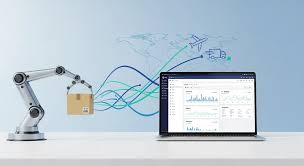
Automating your dropshipping business at scale involves using software and tools to handle repetitive tasks. This includes order fulfillment, inventory management, customer support, and marketing. The goal is to increase efficiency, reduce errors, and free up your time to focus on strategic growth.
This allows your business to handle a larger volume of orders smoothly.
What is Dropshipping Automation at Scale?
Think of automation as giving your business a super-powered assistant. It handles the chores so you don’t have to. When we talk about dropshipping automation at scale, we mean doing this for a lot of orders.
It’s not just about one or two tasks. It’s about setting up systems that work together. These systems manage everything even when you have hundreds or thousands of customers.
At its core, automation means using technology to do things humans used to do. In dropshipping, this often means tasks like sending order details to suppliers. It also means updating tracking numbers for customers.
Automation can also handle answering common questions. It keeps your business running smoothly. It also helps prevent mistakes that can happen when you’re swamped.
Why “at scale”? Because a small business might get away with manual checks. But as you grow, manual work becomes impossible.
Imagine trying to personally email 100 different suppliers for 100 different orders. That’s a full-time job right there! Automation makes this possible.
It allows your business to grow without you being chained to your desk.
My Own Brush with the Chaos of Scaling
I remember when my first store started taking off. It was late one night, the kind of night where the glow of the monitor feels like your only friend. Orders were pouring in.
It was exciting! But then I looked at my to-do list. I had to confirm each order with suppliers.
I had to manually input tracking numbers into our system. And I had a pile of customer emails asking about shipping status. Panic started to set in.
My heart sank a little. It felt like I was drowning in my own success. The joy of getting more sales quickly turned into anxiety.
I knew I couldn’t keep doing this. Something had to change. That night showed me firsthand why scaling without help is a recipe for disaster.
Key Automation Areas for Dropshipping
Order Processing: Automatically sends orders to your suppliers. It ensures details are correct. This saves huge amounts of time.
Inventory Sync: Keeps your stock levels up-to-date. It prevents selling items you don’t have.
Customer Service: Uses chatbots or canned responses. It handles common questions quickly.
Marketing: Automates email follow-ups and social media posts. It keeps customers engaged.
Tracking Updates: Sends shipping details to customers. It reduces “Where is my order?” emails.
Why Automation is Crucial for Dropshipping Growth
Dropshipping is often seen as easy to start. But growing it is where the real challenge lies. Without automation, you face several roadblocks.
The most obvious one is time. Your time is precious. You need it for planning, finding new products, and improving your brand.
If you’re busy with manual tasks, you can’t do these important things.
Another big issue is errors. Humans make mistakes, especially when tired or rushed. A wrong address, a missed order, or incorrect product details can lead to unhappy customers.
Unhappy customers mean lost sales. They also mean bad reviews. These hurt your business reputation badly.
Efficiency is also key. Automation helps you process more orders with the same team, or even just yourself. This means you can handle more sales volume.
It means you can grow without needing to hire many people right away. This keeps your costs lower as you expand.
Finally, consistency matters. Customers expect good service every time. Automation ensures tasks are done the same way, every time.
This builds trust. It makes your brand feel more professional and reliable.
Automation vs. Manual Work: A Quick Look
Manual Work
- Slow and time-consuming
- Prone to human error
- Difficult to scale
- High operational cost per order
- Limited capacity
Automation
- Fast and efficient
- Reduces errors significantly
- Scales easily with volume
- Lower operational cost per order
- High capacity
Key Areas for Dropshipping Automation
Let’s break down the specific areas where automation can make a massive difference in your dropshipping business. These are the core functions that often become bottlenecks as you grow.
Order Fulfillment Automation
This is probably the most critical area. When a customer places an order on your store, it needs to get to your supplier. Manually copying and pasting order details is tedious and error-prone.
Automated systems can take the order information directly from your e-commerce platform (like Shopify, WooCommerce, etc.) and send it to your supplier’s system or via email.
This includes:
- Customer’s Name and Address
- Product Ordered (SKU, Quantity)
- Any special notes or requests
Some advanced systems can even place the order directly with the supplier if they have an API (Application Programming Interface) connection. This means the whole process, from sale to supplier notification, happens without you lifting a finger. This is the heart of dropshipping automation at scale.
It ensures that as your sales increase, your fulfillment process can keep up.
Inventory Management and Synchronization
One of the biggest headaches in dropshipping is selling out-of-stock items. Your supplier might run out of a product, but your store still shows it as available. This leads to cancelled orders and angry customers.
Automation helps by constantly syncing inventory levels between your supplier and your online store.
Tools can check supplier stock levels periodically. They can then automatically update your product quantities. If a product goes out of stock at the supplier’s end, the system can remove it from your store.
Or it can mark it as “temporarily unavailable.” This prevents overselling and saves you from difficult customer conversations.
For example, if a supplier has 50 units of a popular item, your store can reflect that. When stock drops to 10, the system updates. When it hits zero, the listing is adjusted.
This real-time syncing is vital for maintaining customer trust and a smooth sales process, especially at scale.
Customer Service and Communication
Customers have questions. “Where is my order?” is the most common one. “What is your return policy?” is another.
Handling these manually for every customer can overwhelm you. Automation can help here in several ways.
Automated Email Responses: When an order is placed, an automated confirmation email is sent. When an order ships, another email with tracking information is sent. These are basic but essential.
They set customer expectations and provide needed information.
Chatbots: Many e-commerce platforms offer chatbot integrations. These bots can answer frequently asked questions instantly. They can guide customers to the right information on your website.
This is available 24/7. It frees up your support team (or you!) for more complex issues.
Ticket Management Systems: For more complex support, systems can help organize customer inquiries. They assign tickets, track progress, and ensure no query falls through the cracks. This is crucial when you’re dealing with a high volume of customer interactions.
Marketing and Sales Automation
Once a customer buys from you, the relationship shouldn’t end. Automation can help nurture these relationships. It can also encourage repeat purchases.
Email Marketing Automation: Set up automated email sequences. These can include welcome emails for new subscribers. They can be post-purchase follow-ups.
Or they can be abandoned cart reminders. These emails are personalized and sent at the right time, increasing engagement and sales.
Social Media Scheduling: Tools can schedule your social media posts in advance. This ensures a consistent online presence. It helps you reach your audience even when you’re busy with other tasks.
Upselling and Cross-selling: Automated tools can suggest related products at checkout. Or they can recommend items in follow-up emails. This increases the average order value.
Quick Scan: Automation Tools by Function
| Function | Example Tools/Strategies |
|---|---|
| Order Processing | Oberlo, DSers, Spocket (integrations) |
| Inventory Sync | Platform integrations, dedicated sync apps |
| Customer Service | Zendesk, Gorgias, Tidio (chatbots) |
| Marketing Automation | Klaviyo, Mailchimp, Sendinblue |
| Social Media Scheduling | Buffer, Hootsuite, Later |
Choosing the Right Automation Tools
With so many tools out there, picking the right ones can feel overwhelming. The best approach is to focus on your biggest pain points first. What takes up most of your time?
Where do you make the most errors?
Integration is Key: Make sure the tools you choose can talk to each other. Ideally, they should integrate with your e-commerce platform (Shopify, WooCommerce, etc.) and your payment gateways. For example, a good order fulfillment tool should connect directly to your store to pull order data.
Scalability: Does the tool handle growth? Can it manage 10 orders a day as well as 1000? Look for tools with tiered pricing based on volume or features.
This lets you start small and grow.
Ease of Use: If a tool is too complicated, you might not use it effectively. Look for user-friendly interfaces. Many tools offer free trials.
Use them to test out the system.
Cost vs. Benefit: Automation tools have costs. Calculate the return on investment.
How much time will you save? How many errors will you avoid? How much extra revenue could you generate through better marketing?
The cost should be justified by the benefits.
Supplier Compatibility: Some automation tools work best with specific suppliers or supplier networks. If you have your own suppliers, ensure the automation solution can work with them, whether through direct integration or standardized data export/import.
Stacking Your Automation: A Common Workflow
Start: Your customer orders on Shopify.
Step 1: Order automatically pulled by DSers (or similar tool).
Step 2: DSers sends the order to your supplier’s system.
Step 3: Supplier ships. Tracking number is uploaded back into DSers.
Step 4: DSers updates Shopify with the tracking number.
Step 5: Shopify sends an automated shipping confirmation email (powered by Klaviyo) with the tracking link to the customer.
Step 6: A chatbot (like Tidio) on your site answers common shipping status questions, pulling data from Shopify.
Implementing Automation: Step-by-Step
Don’t try to automate everything at once. That can be overwhelming. Take it step by step.
Start with the area that causes you the most pain.
1. Analyze Your Current Workflow
Before you buy any tools, understand what you’re doing now. Where are the bottlenecks? What tasks take the longest?
Make a list. Be honest about where your time is spent.
2. Prioritize Automation Needs
Based on your analysis, decide what to automate first. Order fulfillment is often the biggest win. Customer service is another good starting point.
Marketing automation can come a bit later, once your core operations are stable.
3. Research and Select Tools
Look for tools that integrate with your existing e-commerce platform. Read reviews. Take advantage of free trials.
Ask for demos if possible. Focus on tools that solve your specific problems.
4. Set Up and Test Thoroughly
This is a crucial step. Don’t just “set it and forget it.” Spend time configuring the tools. Run test orders.
Check that emails are sent correctly. Verify that inventory is updating. Make sure every step in the automated process works as expected.
5. Train Yourself and Your Team (if applicable)
Even automated systems need oversight. Understand how each tool works. If you have a team, ensure they are trained.
They need to know how to monitor the systems and handle exceptions.
6. Monitor and Optimize
Automation isn’t a one-time setup. Regularly check your systems. Are they still working efficiently?
Are there new features you can use? Are there ways to improve the existing automation?
Myth vs. Reality: Dropshipping Automation
Myth
Automation replaces all human effort.
Reality
Automation handles repetitive tasks. Humans focus on strategy, problem-solving, and complex customer needs.
Myth
It’s too expensive for small businesses.
Reality
Many tools offer free plans or affordable starting tiers. The ROI often outweighs the cost quickly.
Common Pitfalls to Avoid
Even with the best intentions, implementing automation can have its hiccups. Being aware of common pitfalls can help you steer clear of them.
1. Over-Automation
Trying to automate everything can lead to a loss of personal touch. Customers still want to feel valued. Over-automating customer service, for example, can make your brand feel cold.
Find a balance between efficiency and human connection.
2. Ignoring Exceptions
Automation works well for standard processes. But what happens when something unusual occurs? A customer provides a wrong address, or a package gets lost.
You need a process for handling these exceptions. Your automated system might flag them, but a human needs to step in.
3. Not Testing Enough
A rushed setup can lead to costly mistakes. Always test your automation thoroughly. Place test orders.
Send test emails. Check inventory updates. Ensure all integrations are working correctly before you rely on them for live orders.
4. Choosing the Wrong Tools
Selecting tools that don’t integrate well, are too complex, or don’t meet your specific needs can be a waste of time and money. Do your research. Read reviews.
Use free trials.
5. Neglecting Security
When you automate, you’re often connecting various platforms and sharing data. Ensure your tools are secure. Protect your customer data and your business accounts.
Use strong passwords and enable two-factor authentication where possible.
The Future of Dropshipping is Automated
The landscape of e-commerce is constantly evolving. For dropshipping to remain competitive, especially at scale, embracing automation is no longer optional. It’s essential.
Businesses that leverage automation can adapt faster to market changes. They can offer better customer experiences. They can achieve higher profit margins.
As technology advances, we’ll see even more sophisticated automation. AI will play a bigger role in customer service and marketing. Predictive analytics will help businesses anticipate trends and customer needs.
The more you embrace these changes now, the better prepared you’ll be for the future.
Dropshipping automation at scale isn’t just about efficiency. It’s about building a sustainable, resilient business. It’s about giving yourself the freedom to innovate and grow.
It’s about turning your passion project into a thriving enterprise that can handle success.
Real-World Scenarios of Automation in Action
Let’s look at how different businesses might use automation to their advantage. These aren’t just theoretical ideas; they’re practical applications.
Scenario 1: The Fashion E-commerce Store
Sarah runs an online boutique selling trendy clothing. She sources items from multiple suppliers in Asia. Her biggest challenge was managing inventory and tracking shipments.
Orders would come in, and she’d have to manually contact each supplier.
Her Solution: She implemented DSers to connect her Shopify store with AliExpress suppliers. DSers automatically pulls new orders. It sends them to the correct supplier with all details.
When suppliers ship, DSers retrieves the tracking numbers. It updates Sarah’s store and sends automated shipping confirmation emails via Klaviyo. She also uses a chatbot for size and material questions.
The Result: Sarah saved 10-15 hours per week. She could now handle 3x more orders without hiring staff. Her customer satisfaction increased due to faster shipping notifications.
Scenario 2: The Niche Gadget Seller
Mark sells unique electronic gadgets. He uses a mix of domestic and international suppliers. His main problem was ensuring customers received accurate tracking information quickly.
Customers would often email asking about their order status.
His Solution: Mark uses an order management system that integrates with his WooCommerce store and his chosen suppliers. This system automatically pulls orders and sends them. When a supplier provides tracking, the system updates the order.
It then triggers an automated email to the customer through his CRM, including a direct link to track the package. He also uses an app to automatically replenish popular items when stock is low.
The Result: Customer inquiries about shipping dropped by 70%. He reduced lost sales from out-of-stock items by 90%. His business grew steadily because of reliable operations.
Scenario 3: The Home Goods Dropshipper
Emily sells home decor items. She deals with a high volume of orders during peak seasons. Her team was often overwhelmed with processing returns and customer support queries.
Her Solution: Emily implemented Gorgias, a customer service platform. Gorgias integrates with her store, emails, and social media. It pulls all customer interactions into one dashboard.
The system uses automated macros and rules to quickly answer common questions about shipping times or product care. It also flags urgent issues for human agents. For returns, an automated form guides customers, and the system generates return labels, speeding up the process significantly.
The Result: Her customer support response time improved drastically. Her team felt less stressed. They could handle more complex issues, leading to happier customers and better reviews.
She also used an email automation tool to send post-purchase surveys to gather feedback.
What This Means for Your Dropshipping Business
Implementing automation isn’t just about making your life easier. It has tangible impacts on your business’s success and longevity.
When Automation is Your Best Friend
If you’re seeing a steady increase in orders, but you’re struggling to keep up with fulfillment and customer service, it’s time to automate. If you’re spending too much time on repetitive tasks and not enough on growth strategies, automation is key. Any business aiming for significant growth without burning out needs a solid automation strategy.
When to Be Cautious or Add Human Touch
Some situations still require a human touch. Highly complex customer complaints, sensitive issues, or personalized recommendations are best handled by people. Automation should complement, not completely replace, human interaction.
You still want your brand to feel personal and approachable.
Also, be cautious when implementing new automation. Always double-check the setup. Ensure that complex products or intricate shipping rules are handled correctly.
A poorly configured automation can cause more problems than it solves.
Simple Checks to Ensure Automation is Working
Periodically, run a few test orders through your system. Check if order details are sent correctly to suppliers. Verify that tracking numbers are updated and sent to customers.
Monitor your customer service tickets to ensure automated responses are appropriate and timely. Keep an eye on your inventory sync to prevent overselling. A quick review of your system logs can catch many potential issues.
Quick Fixes and Tips for Automation Success
Here are some practical tips to make your automation journey smoother and more effective.
- Start Small: Don’t try to automate everything at once. Pick one critical area and master it before moving to the next.
- Use Integrations Wisely: Ensure your chosen tools work seamlessly together. This reduces data silos and manual data entry.
- Document Your Processes: Even with automation, having clear documentation of your workflows is vital for training and troubleshooting.
- Regularly Review Your Tools: The automation landscape changes. New tools emerge, and existing ones update. Ensure you’re using the best solutions for your business.
- Focus on Customer Experience: Automation should enhance, not detract from, the customer experience. Ensure your automated communications are helpful, not generic.
- Train for Exceptions: Even the best automation needs human oversight for edge cases. Ensure your team knows how to handle situations the system can’t.
- Leverage Data: Use the data generated by your automation tools to identify areas for further optimization.
Frequently Asked Questions About Dropshipping Automation
What is the most important area to automate in dropshipping?
The most crucial area to automate is order fulfillment. This involves sending order details to your suppliers and managing tracking numbers. Automating this process saves significant time and reduces errors, which is vital for scaling.
Can I automate my dropshipping business without expensive software?
Yes, you can start with some basic automation using built-in features of your e-commerce platform. Many platforms offer automated email confirmations and shipping notifications. Free or low-cost tools for social media scheduling and basic email marketing are also available.
However, for true scalability, dedicated software is often necessary.
How does automation help with customer service?
Automation helps customer service by handling common inquiries instantly through chatbots or pre-written responses. It also ensures that important notifications like order confirmations and shipping updates are sent automatically. This frees up human agents to deal with more complex or urgent customer issues.
What are the risks of over-automating my dropshipping business?
The main risk of over-automating is losing the personal touch with your customers. This can lead to a less engaging brand experience. It’s important to find a balance where automation handles repetitive tasks efficiently, but human interaction is available for complex or sensitive customer needs.
How do I choose the right automation tools for my dropshipping store?
Choose tools that integrate well with your existing e-commerce platform. Consider your biggest pain points first. Look for scalability, ease of use, and a good cost-to-benefit ratio.
Always take advantage of free trials to test tools before committing.
Will automation increase my dropshipping profits?
Yes, automation can significantly increase profits. By saving time and reducing errors, you lower operational costs. By improving efficiency, you can handle more sales volume.
Better marketing automation can also lead to more repeat customers and higher average order values, all contributing to increased profitability.
Conclusion
Scaling your dropshipping business is achievable. It requires smart strategies. Dropshipping automation at scale is one of the most powerful tools you have.
By automating key processes like order fulfillment, inventory management, and customer service, you can overcome the hurdles of growth. This allows you to serve more customers efficiently and professionally. Embrace automation to free yourself from tedious tasks.
Focus on building a stronger brand and a more successful future.